
nicnic.works
This website - Astro, Markdown, Milkdown and some CSS.
A small static site for things I have built - works. Content is in Markdown, built by Astro and uploaded to my hosting provider via a GitHub action.
Why I made it
I wanted a personal website for quite some time - a blog and portfolio of the things I’ve made that is outside of the places where I posted them (MakerWorld, GitHub, Reddit, etc). This way it is all in one place and if I ever want to share it with anyone I can just give them one link.
Build story
There are many options when it comes to static site generators. I have experience with Jekyll and I was not looking forward to figure out Liquid template language once again. Since I have been playing with LLMs quite recently I thought “k let’s try it again”, and dispatched an agent in a typical Research / Plan / Implement loop.
Research found Astro, which is TypeScript based - and since I am proficient in TypeScript it was the easy choice for me.
Once the I’ve had a working setup, I realized I don’t have any blog posts planned so I’ll change it into a portfolio for now. So the home page is now a grid of works with photos, and the posts are switched off for now.
The design - I knew I wanted something minimal but the first iterations leaned too much into neo-brutalism: thick borders, offset shadows, monospace headings - I didn’t like the look. I pulled it back to something close to browser defaults with a few quiet touches:
- Neutral greys
- Orange - bit like Teenage Engineering, but my own shade, kumquat (picked it cause the name is funny)
- Dark/Light mode that conforms to whatever your browser tells it to do
 The site title is set in ProFont, the old Mac programming font. The original ProFont 2.2 only comes as a classic Mac OS font suitcase, so I asked Claude to rebuild into a web font from that. It only looks sharp at multiples of 9 pixels, so the title is sized to that.
When it comes to hosting the first plan was to use GitHub Pages, but that needs a public repo, which I am not willing to do for now (idk what will stay a draft or not yet). So the GitHub Action uploads the built site over SFTP to my own web hosting instead.
How it works
- Every work is a folder with a Markdown file and its photos.
- Astro turns each of them into static HTML and resizes the photos at build time.
- There is no JavaScript on the site except the light/dark toggle (and no trackers)
The editor
I always found the Jekyll/Hugo setup of writing Markdown files by hand and then seeing them on the website janky, so I looked for a better solution - I wanted a WYSWIG Markdown editor that would run and exist only locally (on astro dev). It never ends up on the live site.
Milkdown, more importantly the Crepe editor built on top of it seemed like a good choice - so I went with it and asked Claude to write a theme for it that would always match my site’s theme 1:1.
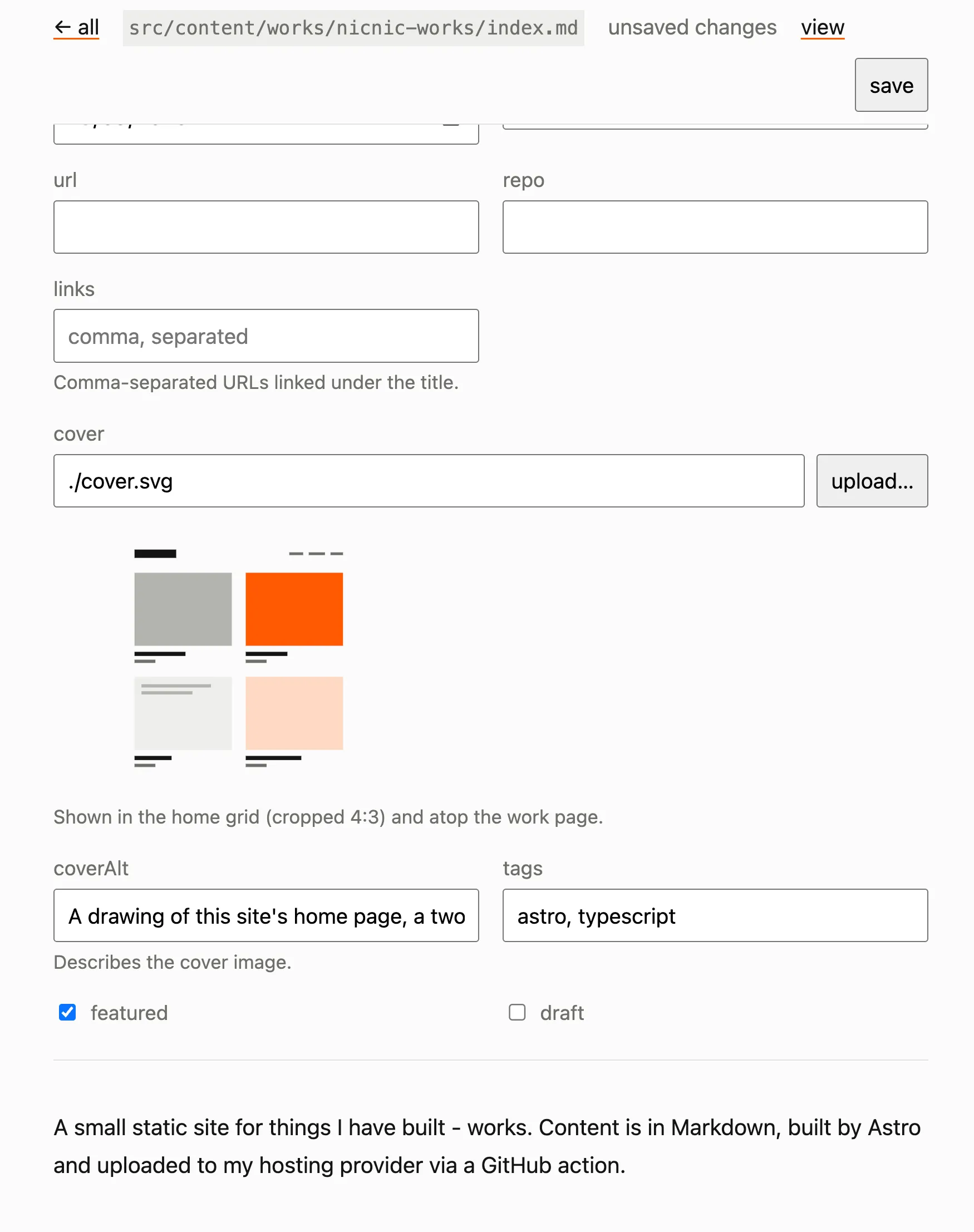
Using the editor is rather simple. In dev mode, I have edit links in each of the items that are editable, and after clicking any of them the page opens in an edit mode. I can then write as I would normally and click “save” when I am done - which updates the .md file on disk.
The editor has some nice QOL features:
- Drop a photo in and it gets turned upright, shrunk to 2400px on the long side, and stripped of location and all other metadata.
- The cover has its own upload button and shows a miniature when uploaded.
- It only rewrites the fields I changed, and it won’t save over a file that changed since I opened it.
Here is how it looks:
Creating a work
Claude drafts a skeleton from my links (MakerWorld, Reddit, GitHub) and a few questions, with gaps marked where only I know the answer. Then I write the actual text.
This helps me a lot - I have trouble starting things, but when a skeleton is in place, I get to work (pun kinda intended).
What I’d change
Nothing yet. The site just went live, so I’m not sure.
Note
Claude Opus 5 wrote all the code, under my direction, and I judged the results in the browser. Research / Plan / Implement loop. I didn’t use any other AI tools. Claude drafted this page from the project’s notes and my answers and then I rewrote it. Claude created the cover image as well.