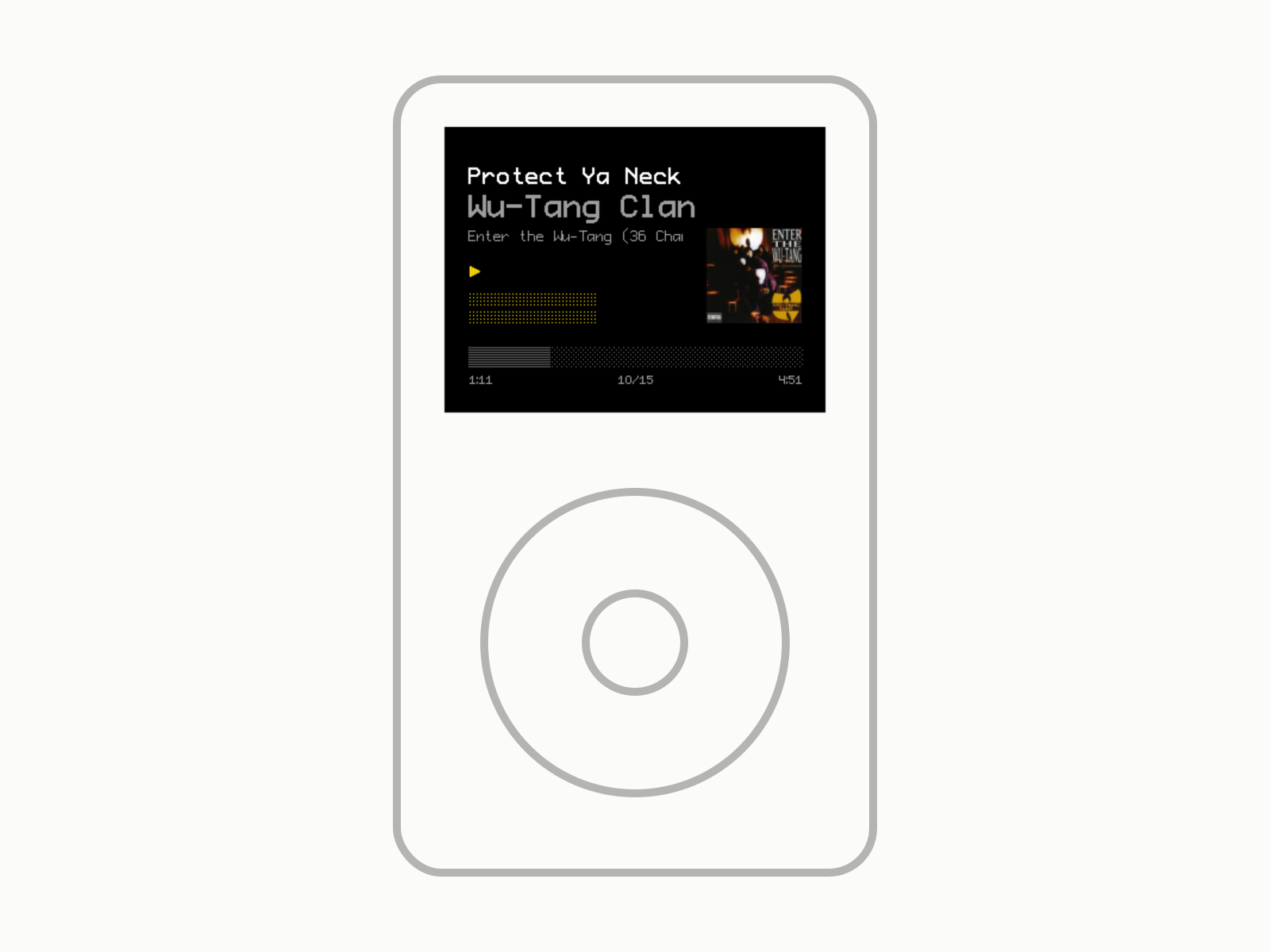
FleshAndBones Rockbox Theme
A rather minimal Rockbox theme for the iPod, 5th to 7th generation.
FleshAndBones is a rather minimal theme for Rockbox on the iPod 5-7 generation. I run it on my iPod Classic 6th gen.
Why I made it
I wanted a minimal theme with “just enough” information being shown. OneBit_OLED and BONES both had elements I wanted, but they were exclusive - so I mashed them together and added my own spin on top.
Build story
The Rockbox “templating” engine is… something else. I really don’t like the syntax for writing themes - no idea who came up with it, but it feels ancient. I used AI to help me understand it.
It also took me quite a bit of time to figure out how fonts work in Rockbox (arcane) as well as how to prep the images so that they are transparent (learned quite a bit of GIMP though).
The whole dev loop was atrocious, too (wouldn’t recommend) - I had to use Windows to run the official Rockbox emulator and reload the whole theme on each change to it.
v1.0 was done on 2026-04-09 and I released it on the Rockbox themes site and GitHub on 2026-04-11.
How it works
It’s based on OneBit_OLED, with stylistic choices from BONES - and every other theme these might be based on.
- Menus (SBS): mostly as they were in OneBit_OLED, but with a font change, and the menu is expanded vertically to fit more items.
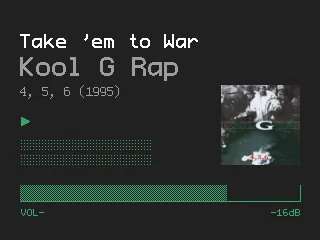
- Now playing (WPS):
- No status bar whatsoever
- Song title on top, artist name underneath
- Album art resized to 80x80px
- Progress bar backdrop from OneBit Monochrome, the bar made by me
- A volume bar that only shows when the volume changes, inspired by the one in BONES
- Custom VFD-like peak meters
- Hold screen: battery level, time, artist, song name and time remaining.
- USB screen: no changes from OneBit_OLED apart from the font.
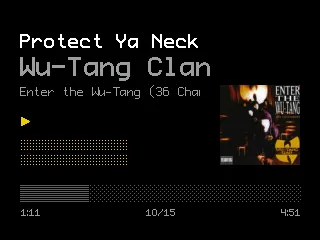
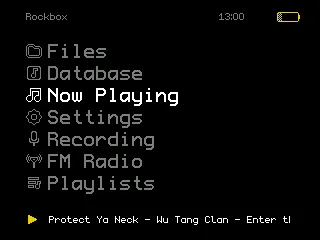
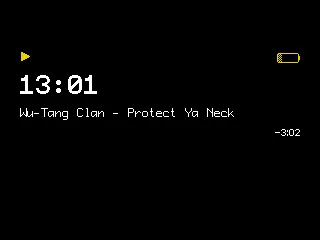
There is no light/dark mode, only dark. You can change two colors: the background, and the foreground, which covers icons, peak meters, the volume bar etc. The default is yellow on black.
Fonts:
- ProFontIIx, converted by me. The ProFont version included in Rockbox Extras has missing glyphs (notably
'). - Monogram, converted and edited by me with FontForge: I changed the shape of
1and4and removed the/from0.
In the repo there’s also a bash script for album art. It extracts the cover from each album’s .flac files with ffmpeg, then ImageMagick limits the colors, slightly lowers the saturation and dithers it, so all album art fits the theme more. It assumes .flac files with embedded art in an Artist/Album folder structure, and Rockbox has to be set to prefer image files for album art.
It works with Rockbox release 4.0 and the current dev build. Download is on the Rockbox themes site, or on GitHub.
Credits to Jihoon Kim (OneBit_OLED), chronicallyoffline (OneBit_VFD), Chuck Lardo and D0-0K for inspiration and code/assets. The theme is CC BY-SA 3.0.
What I’d change
Nothing, it works fine.
btw. It’s kinda cool that people downloaded my theme almost 5000 times (4931 as of 2026-09).
Note
Theme itself: I used AI to help me understand the Rockbox theme syntax, then wrote it (and painfully tested) by hand.
Other: AI drafted this page from my README and the Rockbox themes page, then I rewrote it. AI generated the cover image. AI was also used to write alt text for the screenshots.